Word Template Guide
How to create .docx templates for DocuQueue — placeholders, loops, and best practices.
Getting Started
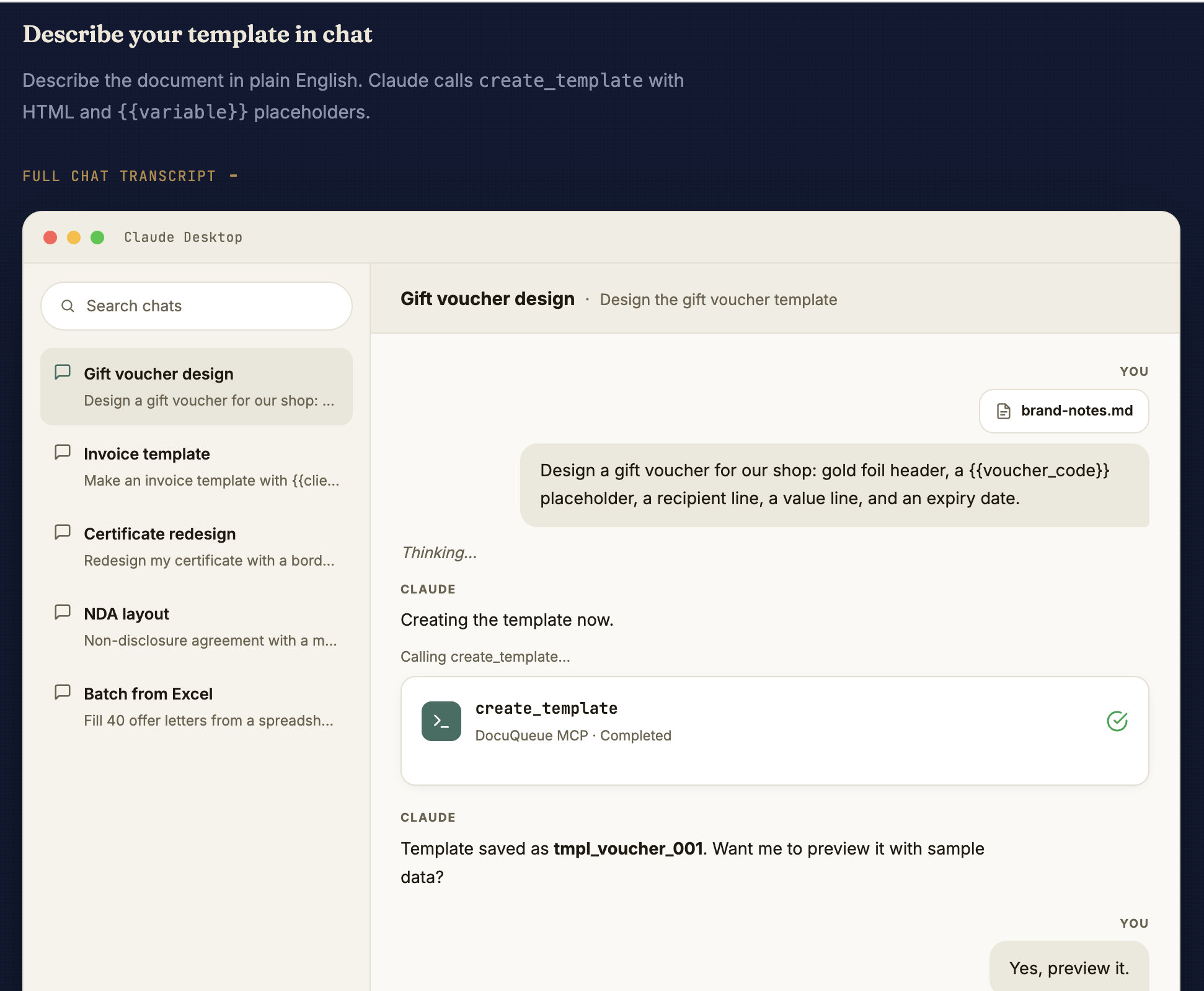
create_template on the DocuQueue MCP server and the template saves to your account with a tmpl_ ID.DocuQueue converts your Word documents into fillable PDF templates. You add placeholders in your .docx file, and DocuQueue replaces them with real data when generating PDFs.
Shortcut: rather than authoring the .docx yourself, design a PDF template by chatting with Claude — describe the layout, Claude writes the placeholders, and the template saves straight to your account.
Design your layout, add your branding, format it exactly how you want the final PDF to look.
Replace dynamic values with {{ variable_name }} where you want data to appear.
DocuQueue detects your placeholders and creates form fields automatically.
Quick Start: Download a Template
Don't want to start from scratch? Download a pre-built template, customize it in Word, and upload to DocuQueue.
Professional invoice with line items table, tax calculation, and payment terms.
Award or completion certificate with recipient name, course, and date.
Service agreement with two parties, terms section, and signature blocks.
Formal business letter with sender, recipient address, and body content.
{{ variables }} with your data → Save → Upload to DocuQueue → Generate PDF.
Placeholder Syntax
Use double curly braces with a variable name inside. Spaces become underscores.
Your order {{ order_number }} is ready.
Total: {{ total_amount }}
Thank you,
{{ company_name }}
| Placeholder | Detected As | Notes |
|---|---|---|
{{ client_name }} | client_name | Simple variable |
{{ Company Name }} | company_name | Spaces → underscores, lowercase |
{{ order_number }} | order_number | Underscores kept |
{{ total_amount }} | total_amount | Works anywhere in the document |
Where to Place Placeholders
Placeholders work in all these locations:
- Paragraphs — inline text:
Hello {{ name }} - Tables — cell content:
{{ item.description }} - Headers / Footers —
{{ company_name }} - Text boxes — works inside Word text boxes
Conditional Content
Show or hide sections based on data values using dynamic syntax.
Status: {{ status }} (Paid)
{% else %}
Status: Pending Payment
{% endif %}
Loops (Tables with Multiple Rows)
To create a table that repeats rows for each item in a list:
Add your headers and one row with placeholders.
{{ item.description }} {{ item.quantity }} {{ item.unit_price }}
{% endfor %}
{% for %} and {% endfor %} tags in the same table row. DocuQueue expands the row for each item in your data.
Complete Example
Here's a full invoice template:
Date: {{ date }}
From: {{ company_name }}
To: {{ client_name }}
{% for item in line_items %}
{{ item.description }} — Qty: {{ item.quantity }} × ${{ item.unit_price }} = ${{ item.amount }}
{% endfor %}
Subtotal: ${{ subtotal }}
Tax: ${{ tax_amount }}
Total: ${{ total }}
Do's and Don'ts
| Do | Don't |
|---|---|
✓ Use {{ variable_name }} |
✗ Use [brackets] or other formats |
| ✓ Keep variable names short and clear | ✗ Use spaces: {{ Company Name }} |
| ✓ Save as .docx from Word | ✗ Upload .doc or .pdf files |
| ✓ Test with the Preview tab first | ✗ Run batch generation without previewing |
✓ Use {{ item.field }} in table loops |
✗ Put loop tags outside the table |
Need Help?
If your placeholders aren't being detected:
- Make sure you're using
{{ double curly braces }}, not single{ braces } - Check there are no typos in variable names
- Re-export from Word: File → Save As → .docx
- Try the "Template Preview" tab to see what DocuQueue detects
DocuQueue — Word Template Guide