Featured Legal Business

Free Contract Generator & Maker

Create professional contracts instantly with live preview. Choose from service agreements, freelance contracts, NDAs, and more. Download PDF — no signup, no watermark.

4 Templates PDF Download No Sign-up Required Automate via API Bulk Generate
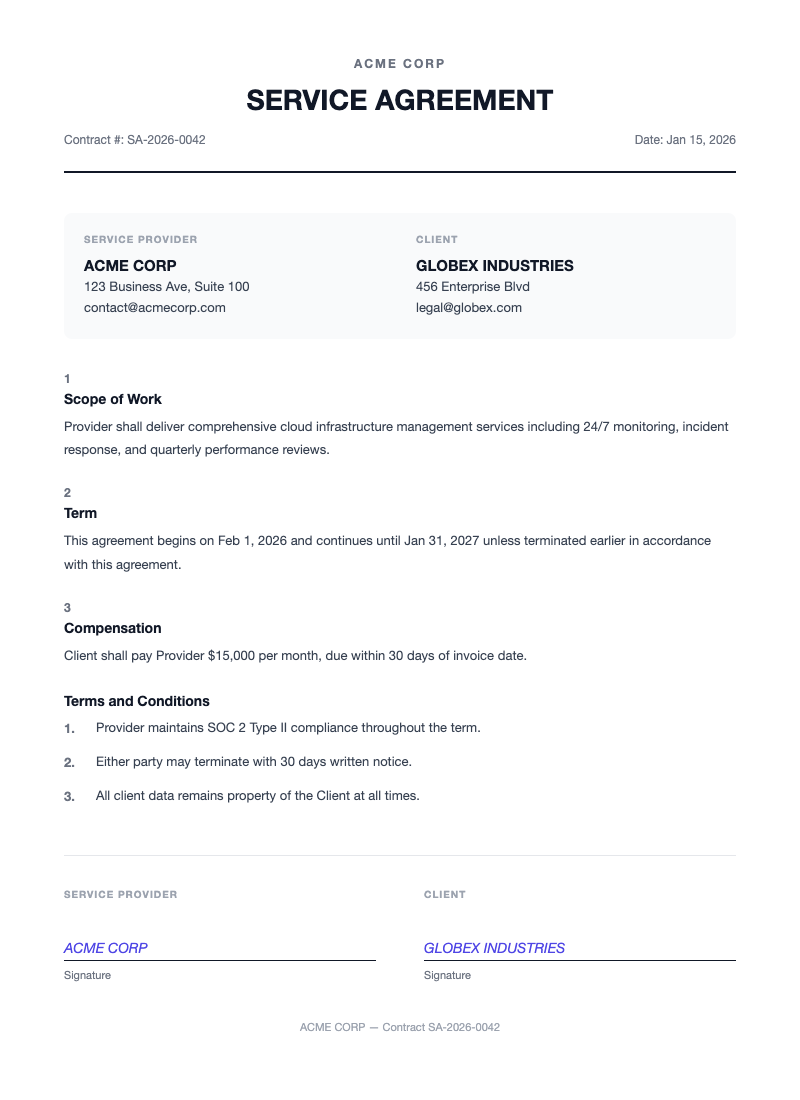
contract.pdf
Contract Preview

Frequently Asked Questions

Is this contract generator free?

Yes, you can generate up to 10 contracts per month for free. No credit card required. Need more? Check our pricing plans.

Do I need to create an account?

No, you can generate contracts without signing up. Just fill in the form and download.

What file format is the contract?

The contract is downloaded as a professional PDF file, ready to print or send digitally.

Is this contract legally binding?

This document serves as a template. We recommend consulting with a legal professional for binding agreements.

Is my data secure?

Yes, all data is encrypted and we don't store your contract data after generation.

What other document templates do you offer?

We offer invoices, contracts, employment contracts, certificates, business letters, and gift vouchers. All templates are free to use.

What Is a Contract Generator?

An online contract generator is a tool that lets you create legally structured agreements without starting from a blank page. You fill in the key details, such as party names, payment terms, and scope of work, and the tool produces a professionally formatted contract ready for review and signature. Instead of wrestling with word processors and trying to get margins, fonts, and clause formatting right, a contract generator handles the layout so you can focus on the substance of your agreement.

DocuQueue takes this a step further with AI-powered contract generation. Describe what you need in plain language, and the tool structures the right clauses, formats them correctly, and outputs a clean PDF. Whether you are a freelancer drafting a service agreement, a startup issuing an NDA, or an HR manager preparing an employment offer, you get a polished document in seconds rather than hours. The result is faster turnaround, fewer formatting errors, and contracts that look professional from the first page to the signature line.
Types of Contracts You Can Create

DocuQueue supports a wide range of contract types for different business needs. Each template includes the standard clauses and formatting expected for that agreement type.

Service Agreement

Define the scope, deliverables, timelines, and payment terms when hiring a consultant, agency, or service provider. Ideal for ongoing client relationships.

Freelance Contract

Protect both parties in freelance engagements. Clarify project scope, revision limits, intellectual property ownership, and payment schedules.

Non-Disclosure Agreement

Safeguard confidential information shared between parties. Essential before discussions about partnerships, investments, or proprietary business details.

Employment Agreement

Formalize the terms of a new hire, including salary, benefits, job responsibilities, non-compete clauses, and termination conditions.

Independent Contractor Agreement

Clarify the 1099 worker relationship. Distinguish contractor status from employment, define project scope, and set payment terms without creating an employer-employee dynamic.

Lease Agreement

Document rental terms for residential or commercial property. Cover lease duration, rent amount, security deposits, maintenance responsibilities, and move-out conditions.

How to Write a Contract: Step by Step

Creating a solid contract does not require a law degree. Follow these five steps to build an agreement that protects everyone involved.

  1. Identify the parties involved. List the full legal names and addresses of every person or entity entering the agreement. Be precise, as ambiguous identification can cause enforcement issues later.
  2. Define the scope of work. Describe exactly what will be delivered, including milestones, deadlines, and any exclusions. Vague scope is the number one source of contract disputes.
  3. Set payment terms and schedule. Specify the total amount, payment structure (flat fee, hourly, milestone-based), due dates, and late payment penalties. Clarity here prevents 90% of payment conflicts.
  4. Include termination clauses. Outline how either party can end the agreement, what notice period is required, and what happens to work already completed. This protects both sides if the relationship does not work out.
  5. Add signatures and dates. A contract is not binding until all parties have signed and dated it. Use DocuQueue to generate a clean signature block and download the final PDF for execution.

Why Use an Online Contract Generator vs. Word Templates?

Many professionals still rely on Word templates downloaded from the internet. Here is how DocuQueue compares to the traditional approach.

Feature Word Template DocuQueue
Legal formatting Manual setup, easy to break Automatic, consistent layout
PDF download Requires export or print-to-PDF One-click PDF, ready to send
E-signature ready Separate tool needed Clean signature block included
AI assistance None Describe what you need in plain language
Free to use Varies by source 10 contracts/month, no signup

The bottom line: Word templates save you from writing from scratch, but they still require formatting knowledge and manual PDF conversion. DocuQueue handles the layout, formatting, and output in a single step, letting you focus on the terms that matter.

Contract Generator FAQ

Are generated contracts legally binding?

Yes. A contract generated with DocuQueue is legally binding when it includes the essential elements of a valid agreement, all parties sign it, and it complies with applicable laws. The template provides the structure; the signatures make it enforceable.

Can I customize the contract terms?

Absolutely. Every contract generated with DocuQueue is fully editable. You can modify clauses, add custom sections, adjust payment terms, and tailor the agreement to your specific situation before downloading the final PDF.

What file format do I get?

You receive a professionally formatted PDF file that is ready to print, email, or send for digital signature. The layout is consistent across devices and printers, so the contract looks the same everywhere.

Do I need a lawyer to use this?

For straightforward agreements like service contracts, NDAs, and freelance engagements, DocuQueue provides everything you need. For complex deals involving equity, intellectual property licensing, or multi-party arrangements, we recommend having a legal professional review the final document.

Explore other free tools
Download .docx