California W-4

PDF Form California EDD

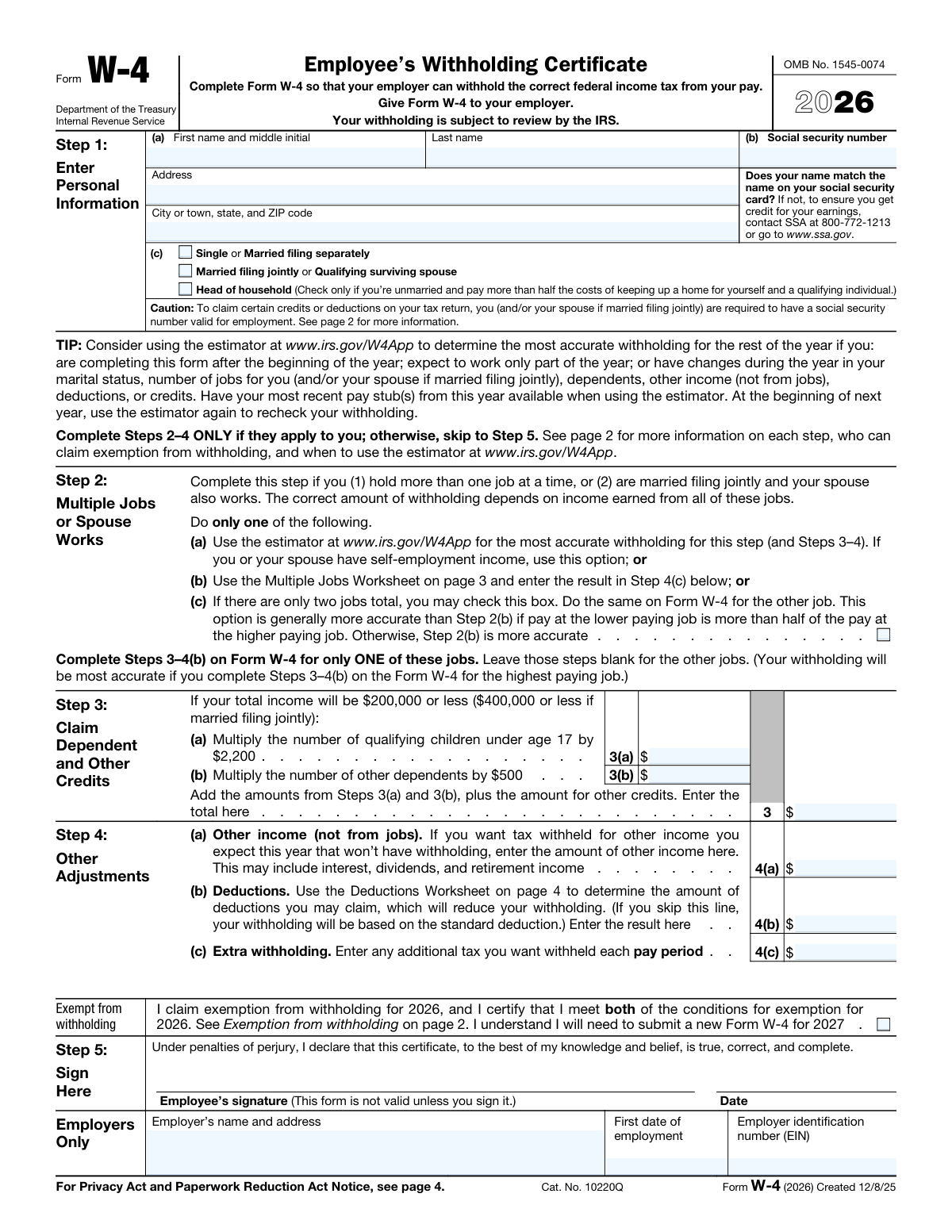
A state withholding certificate (W-4) is used by employers to determine the amount of an employee's paycheck to withhold for state income tax.

California W-4 Form Preview
2026
Testimonials

Trusted by HR teams and employees

“Onboarding new hires in California used to mean chasing paper W-4s. DocuQueue lets us send a link, they fill it online, and we get the completed DE 4 instantly. No more lost forms.”
— Rachel Kim, HR Director at Westfield Logistics
“We process 500+ DE 4 forms a year through the API. Batch upload from our HRIS saved our payroll team dozens of hours each quarter.”
— David Chen, Payroll Manager at Bay Area Tech Co
Requirements

What you need to fill a DE 4

These fields come from the official California Form DE 4. Check off each item as you gather the information.

Employee's full legal name As it appears on your Social Security card
Social Security Number (SSN) 9-digit number, format: XXX-XX-XXXX
Home address Street address, city, state, and ZIP code
Filing status selection Single, Married (2+ incomes), Married (1 income), or Head of Household
Line 1a: Number of regular withholding allowances Use the DE 4 worksheet to calculate based on dependents and deductions
Line 1b: Estimated deductions (optional) Enter dollar amount if you have significant itemized deductions beyond the standard deduction
Line 1c: Total number of withholding allowances Combine Line 1a and the result from Line 1b worksheet
Line 2: Additional withholding amount (optional) Extra dollar amount to withhold each pay period, if desired
Line 3: Exemption from withholding (optional) Check if you had no CA tax liability last year and expect none this year. Must renew annually by Feb 15.
Line 4: Military spouse exemption (optional) Check if you are a military spouse and your spouse's home state is not California
Employee signature and date Form is invalid without a signature. You can sign electronically.
Employer name and address Your employer's business name and mailing address
0 of 12 items ready
How It Works

Fill California W-4 in 4 steps

Our AI completes the form accurately in under a minute. No manual data entry required.

STEP 01

Upload your data

Enter employee information manually, or upload from a spreadsheet, HRIS, or previous form.

STEP 02

AI fills the form

Our AI maps each value to the correct field, including conditional ones. Done in seconds.

STEP 03

Review and download

Check the filled form in our visual editor. Make corrections if needed, then download the PDF.

STEP 04

Send for signature

Email the form to your employee for electronic signature, or print and distribute.

Why DocuQueue

Why teams choose DocuQueue for W-4 forms

Speed

Complete your DE 4 in under 60 seconds. No manual data entry, no formatting headaches.

Accuracy

AI performs compliance checks to ensure your form is error-free before you download it.

Security

Your data is encrypted at rest and in transit. We never store your information after processing.

Batch Processing

Onboard 100 employees at once. Upload a CSV and generate all DE 4 forms in minutes.

Use Cases

Who fills DE 4 forms?

New Hires

Complete your DE 4 before your first day. Fill it out online in under a minute so payroll can process your first check on time. Try our online form filler.

HR Departments

Send DE 4 links to new hires during onboarding. Collect completed forms electronically and store them for payroll processing. Use our PDF filling API for automation.

Payroll Providers

Integrate DE 4 form filling into your payroll platform. Process hundreds of withholding certificates per batch with AI form filling.

Accounting Firms

Manage DE 4 collection for multiple California clients. Ensure every employee has a valid withholding certificate on file and handle annual exemption renewals.

Available via API

Automate DE 4 filling

Need to process employee DE 4s at scale? The DocuQueue API lets businesses fill California W-4 forms programmatically. Send employee data as JSON, receive the filled PDF. Or use our AI form filler for a no-code experience.

Accuracy Checks

Validation checks

Our AI performs these checks on every DE 4 form to ensure accuracy and compliance.

Filing Status

Confirms exactly one filing status is selected and that it matches the employee's actual situation. Flags missing or conflicting status selections.

Allowance Calculation

Validates the allowance count is reasonable based on the claimed dependents and deductions. Flags unusually high or low amounts for review.

Exemption Verification

Ensures exemption claims on Line 3 have annual renewal on file. Flags forms where the prior year's exemption has expired and needs renewal by February 15.

Signature Required

Verifies the employee has signed and dated the form. A DE 4 is invalid without a signature, even if all other fields are correctly completed.

Common Mistakes

Errors to avoid

These are the most common mistakes when filling out California W-4 forms.

Wrong filing status

Selecting an incorrect filing status affects withholding amounts significantly. Review your actual situation and the DE 4 filing status descriptions carefully before choosing.

Incorrect allowance count

Claiming too many or too few allowances leads to incorrect withholding. Use the DE 4 worksheet to calculate your allowances based on dependents, income, and deductions.

Incorrect SSN

A wrong Social Security Number leads to processing delays and potential issues with tax records. Double-check your SSN against your Social Security card.

Missing annual exemption renewal

If you claim exemption from withholding on Line 3, you must submit a new DE 4 by February 15 each year. Failure to renew means your employer will resume withholding at default rates.

Confusing federal W-4 with DE 4

The federal W-4 and California DE 4 are separate forms with different structures. Since 2020, the federal W-4 no longer uses allowances, but the DE 4 still does. Employees in California must complete both.

Not signing the form

The DE 4 is legally invalid without the employee's signature and date. This is a frequent oversight, especially when forms are completed online and the signature step is skipped.

FAQ

Frequently asked questions

What is a California W-4 (DE 4)?
The California W-4 (Form DE 4) is a state withholding certificate issued by the California Employment Development Department (EDD). Employees complete it so employers know how much California state income tax to withhold from each paycheck. It is separate from the federal Form W-4.
Who needs to fill out a DE 4?
Any employee working in California must complete a DE 4 before their first paycheck. New hires are required to submit one on or before their start date. Existing employees should file a new DE 4 when their personal or financial situation changes, such as getting married, having a child, or changing filing status.
What is the difference between federal W-4 and California DE 4?
The federal W-4 and California DE 4 are separate forms with different structures. In 2020, the IRS redesigned the federal W-4 to remove the concept of allowances, replacing it with dollar amounts for dependents and other income. The California DE 4 still uses the traditional allowance-based system. Employees working in California need to complete both forms.
How do I determine my withholding allowances?
The DE 4 includes a worksheet to calculate your allowances based on your filing status, number of dependents, and estimated deductions. Each allowance you claim reduces the amount of tax withheld. Generally, the more allowances you claim, the less tax is withheld from each paycheck. If you want more tax withheld (to get a larger refund), claim fewer allowances.
What filing status options are available?
The DE 4 offers three filing status options: Single (or Married filing separately), Married withholding at the higher Single rate (for married employees with working spouses), and Head of Household (for unmarried qualifying dependents). Your filing status affects the withholding rate applied to your wages.
What is the exemption from withholding (Line 3)?
Line 3 on the DE 4 allows you to claim exemption from California state income tax withholding. To qualify, you must have had no California tax liability in the prior year and expect no liability in the current year. If approved, your employer will not withhold state income tax. You must renew this exemption every year by February 15.
How often do I need to submit a new DE 4?
You must submit a new DE 4 whenever your personal or financial situation changes in a way that affects your withholding. This includes changes in filing status, number of dependents, or additional income. If you claim exemption from withholding, you must submit a new DE 4 by February 15 of each year to maintain the exemption.
What happens if I don't submit a DE 4?
If you do not submit a DE 4, your employer is required by California law to withhold state income tax as if you are single with zero allowances. This typically results in the maximum amount of tax being withheld from your paycheck, which may mean a larger refund at tax time but less take-home pay throughout the year.
Can I fill out DE 4 online?
Yes. You can fill out a DE 4 online with DocuQueue. Enter your information, review the filled form, and download the completed PDF in seconds. No software installation required. You can also use our AI form filler to auto-populate fields from a photo or document scan.
Can I fill DE 4 forms via API?
Yes. DocuQueue provides a REST API to fill DE 4 forms programmatically. Send JSON data and receive a filled PDF. Perfect for HR systems and payroll automation.
Related

Similar forms

Ready to fill your first form?

Select a template, enter your information, and download the completed PDF in seconds.

Get Started Free