PDF Form Filling API — Fill PDF Forms Programmatically with Python & REST

Upload a fillable PDF, auto-detect all fields, submit values as JSON, and download the completed form. Works with Python, JavaScript, cURL, Go, Ruby, and any language that speaks HTTP.

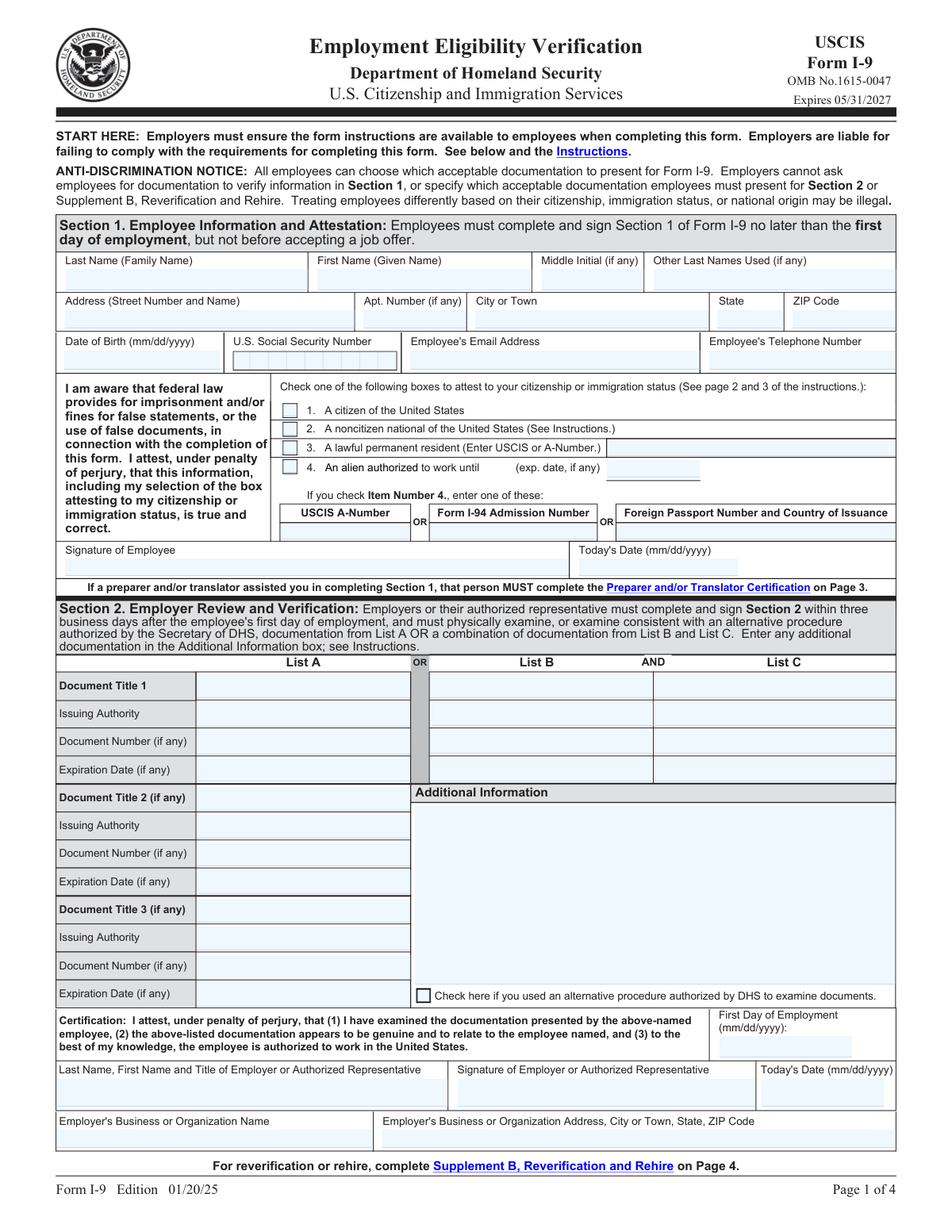
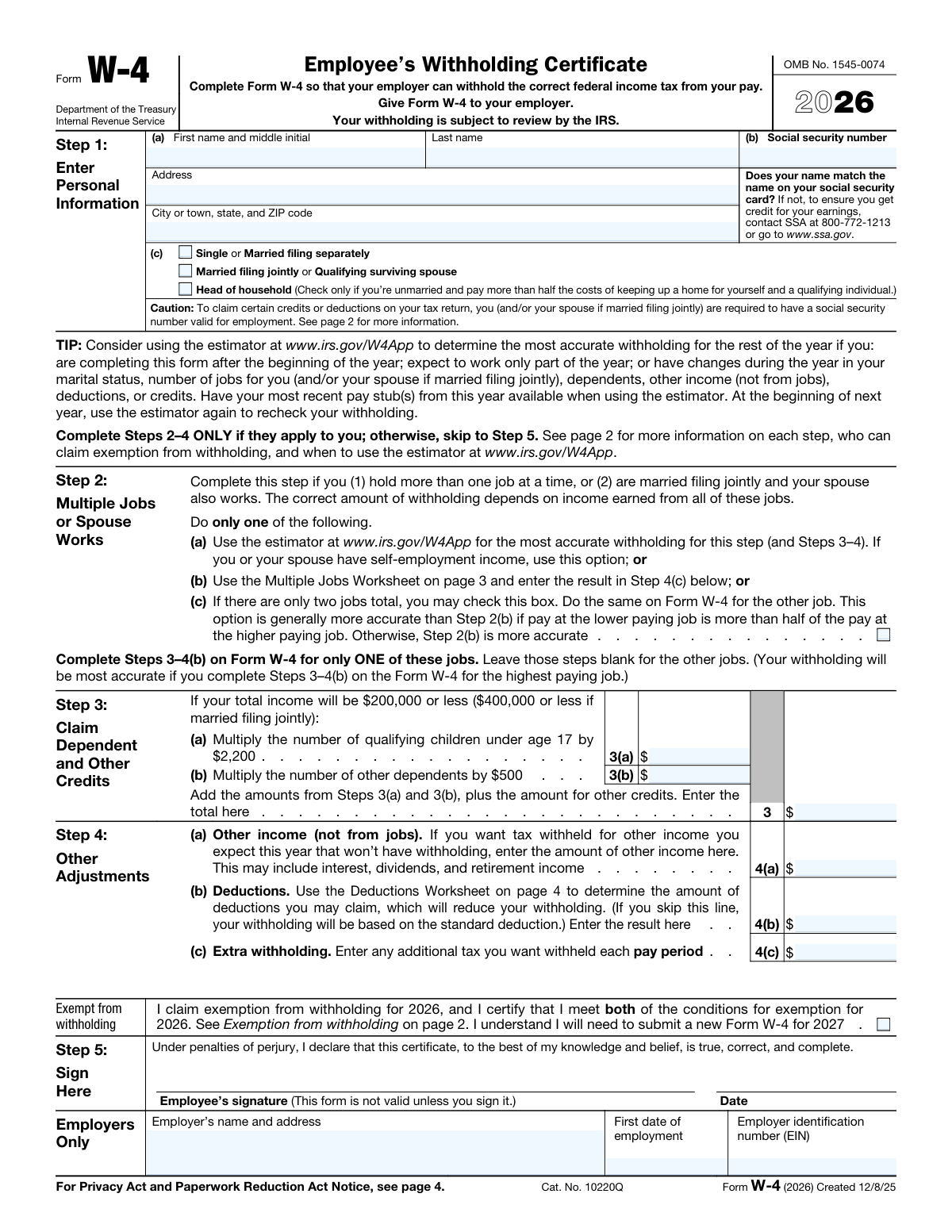
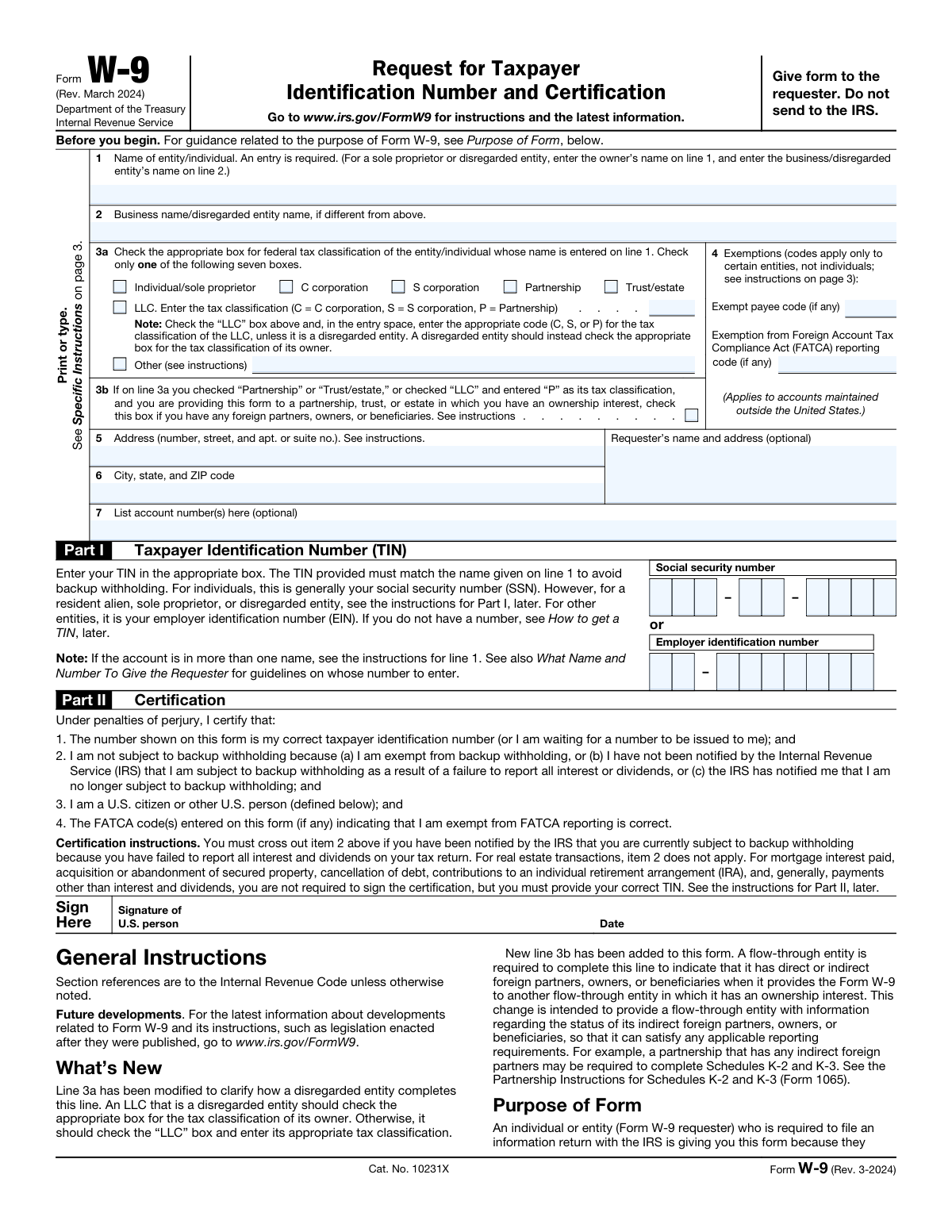
W-4 Form W-9 Form I-9 Form
LIVE DEMO
Saved over 80 hours a year
"I was never sure if my IRS forms like W-9 were filled correctly. Now, I can complete the forms accurately without any external help."
Sarah Mitchell, Operations Manager
Templates

Ready-to-use templates

Pre-configured fillable PDF templates for the most common forms. Upload your own or use one of ours.

How It Works

How to Fill a PDF Form Programmatically?

Three API calls. Upload your template, detect fields, submit values as JSON, and download the filled PDF.

STEP 01

Upload your PDF template

POST your fillable PDF to the API. Any native AcroForm PDF works. The endpoint returns a form ID plus every detected field name, type, and page.

STEP 02

Detect form fields

The upload response already includes every detected field name, type, and page. No manual mapping needed.

STEP 03

Fill fields with JSON

Submit a JSON payload mapping field names to values. The filler matches your keys to the detected AcroForm fields and fills them in one request.

STEP 04

Download the filled PDF

Get the completed PDF from the API response or receive it via webhook callback. Ready to email, sign, or store.

Code Examples

Fill a PDF form in two API calls

Copy any example below and run it. Replace the API key with your own from the dashboard.

# Step 1: upload the fillable PDF, get a form_id back
curl -X POST https://docuqueue.com/api/v1/forms/upload \
  -H "api-key: YOUR_API_KEY" \
  -F "file=@w9-form.pdf"

# Step 2: fill it — returns the filled PDF bytes directly
curl -X POST https://docuqueue.com/api/v1/forms/{form_id}/fill \
  -H "api-key: YOUR_API_KEY" \
  -H "Content-Type: application/json" \
  -d '{"data": {"name": "Jane Smith", "tax_id": "123-45-6789"}}' \
  -o filled-w9.pdf
import requests

# Step 1: upload the fillable PDF
form = requests.post(
    "https://docuqueue.com/api/v1/forms/upload",
    headers={"api-key": "YOUR_API_KEY"},
    files={"file": open("w9-form.pdf", "rb")},
).json()
form_id = form["id"]

# Step 2: fill it — response is the filled PDF bytes
r = requests.post(
    f"https://docuqueue.com/api/v1/forms/{form_id}/fill",
    headers={"api-key": "YOUR_API_KEY"},
    json={"data": {"name": "Jane Smith", "tax_id": "123-45-6789"}},
)

with open("filled-w9.pdf", "wb") as f:
    f.write(r.content)
# Step 1 — POST /api/v1/forms/upload returns:
{
  "id": "a1b2c3d4-...",
  "name": "w9-form.pdf",
  "field_count": 12,
  "method": "pdf_form",
  "fields": [
    {"name": "topmostSubform[0].Page1[0].f1_01[0]", "type": "TextField", "page": 0},
    {"name": "topmostSubform[0].Page1[0].c1_01[0]", "type": "Checkbox", "page": 0}
  ]
}

# Step 2 — POST /api/v1/forms/{form_id}/fill returns the filled PDF bytes
# (Content-Type: application/pdf, Content-Disposition: attachment)

Full API reference at /redoc. Batch fill up to 50 forms per request by POSTing a JSON array to the fill-batch endpoint.

Field Detection

AI scans your PDF and finds every field

Upload any fillable PDF. The API detects field names, types, positions, and confidence scores. No manual mapping needed.

Upload PDF
POST your template
AI Scans
Detects all fields
Fields Found
Names, types, positions
Fill with JSON
Map values to fields
Text Field

Employee Name

Accepts alphanumeric input. Auto-validates format.

98%
Secure Text

Social Security Number

Masked input with format validation (XXX-XX-XXXX).

95%
Signature

Authorized Signature

Signature field with timestamp and audit trail.

92%
Checkbox

Filing Status

Boolean toggle. Supports single and group selections.

99%
Dropdown

State

Predefined options. Validates against allowed values.

97%
Date

Date of Birth

Date picker with format validation (MM/DD/YYYY).

96%
Form Types

What works and what does not

The API handles most fillable PDFs out of the box. Here is what to expect with different form types.

Fully Supported

  • AcroForm fields (text, checkbox, radio, dropdown — /Tx, /Btn, /Ch)
  • Government forms (W-9, W-4, I-9, 1099 — the AcroForm versions)
  • Contracts, leases, insurance, and onboarding forms

Limitations

  • XFA forms (dynamic/legacy XFA is not supported — AcroForm only)
  • Flat/image-only PDFs with no form fields (need OCR or a template first)
  • Handwritten forms (no handwriting OCR)
  • Password-protected PDFs (remove protection first)

Field detection on upload

Upload returns every field's name, type, and page (TextField, Checkbox, ChoiceField) before you fill anything, so you can map your data to real field names.

Alias matching

Send keys that are either the raw field names or human-friendly aliases; the filler matches them to the detected AcroForm fields.

Per-record errors in batch

If a batch record has no recognized fields, the response reports it by index instead of failing the whole batch.

Request flow

Synchronous fill — and webhooks for document generation

Form filling is synchronous: the filled PDF comes back in the response. Webhook callbacks apply to the document-generation endpoint, not the form-fill endpoints.

Submit Job
POST /api/v1/forms/{form_id}/fill
Processing
Fields detected and filled
Response
Filled PDF returned directly
Done
Write the PDF to disk
// Webhook payload from POST /api/v1/create-document (if callback_url is set)
{
  "pdf_url": "https://docuqueue.com/api/v1/download/{job_id}",
  "job_id": "job_abc123",
  "record_id": null,
  "status": "completed"
}
      

Form fill

The /fill and /fill-batch endpoints are synchronous — the filled PDF(s) come back in the response. No webhook needed; just handle the response.

Document generation

The async document-generation endpoint (/api/v1/create-document) accepts an optional callback_url and POSTs the payload above to your server when the document is ready.

MCP Integration

Connect AI Agents

DocuQueue integrates with Claude, Cursor, ChatGPT, and other AI agents via MCP (Model Context Protocol). Let your AI detect fields, fill forms, and route documents through natural language.

Your agent can upload a PDF template, detect all fields, fill them with data from your systems, and download the completed form. No code required, just conversation.

Claude
Cursor
ChatGPT
LangChain
// MCP config for Claude Desktop
{
  "mcpServers": {
    "docuqueue": {
      "command": "npx",
      "args": [
        "-y",
        "@docuqueue/mcp-server"
      ],
      "env": {
        "DOCUQUEUE_API_KEY": "your_api_key"
      }
    }
  }
}
// Then talk to your agent:
"Fill the W-9 form for Jane Smith,
 SSN 123-45-6789, and download it"

// The agent will:
// 1. Upload your W-9 template
// 2. Detect all 12 fields
// 3. Fill name, SSN, date
// 4. Return the completed PDF
Features

Why Use DocuQueue for PDF Form Filling?

No software to install. No complex setup. Just upload, fill, and download.

Auto-detect fields

Upload any PDF and the API detects every fillable field automatically. Text fields, checkboxes, radio buttons, dropdowns, and signatures. Zero manual mapping.

Any form type

Native AcroForm PDFs: government forms (W-9, W-4, I-9, 1099), contracts, leases, and insurance forms. Text, checkbox, radio, and dropdown fields are auto-detected and filled.

Batch processing

Fill up to 50 records per request via the fill-batch endpoint — one filled PDF per record, 1 credit each. Loop through 50-record chunks for larger runs.

Works everywhere

REST API works with Python, JavaScript, Go, Ruby, PHP, cURL, and any HTTP client. No SDK required. Just POST JSON.

Webhook callbacks

Get notified when documents are processed. Connect to CI/CD pipelines, automation workflows, and backend systems for async PDF generation.

Secure by default

All data encrypted at rest and in transit. Filled PDFs deleted immediately after processing. GDPR compliant. Bank-level encryption. API keys for every request.

Use Cases

Who Uses PDF Form Filling APIs?

Teams across every industry use DocuQueue to automate document workflows at scale.

Pricing

How Much Does the PDF Filling API Cost?

Start free. Pay only when you need more volume.

Free Tier

25 free credits. Fill up to 50 forms. No credit card required. Perfect for testing the API and small projects.

Starter

$9/month for 250 credits. Batch processing, template fill, form filling. Ideal for growing teams.

Enterprise

Custom volume. Dedicated infrastructure. SLA guarantees. Contact sales for high-throughput document automation.

View full pricing →

Integration

Batch fill up to 50 forms in one request

POST a JSON array of 1–50 records to the fill-batch endpoint. Each record is matched against the template's auto-detected AcroForm fields and produces one filled PDF, at 1 credit per record. The filled PDFs come back in the response. For larger runs, loop through 50-record chunks.

Batch job execution

The fill-batch endpoint takes a JSON array of records, fills each one against your template's AcroForm fields, and returns the filled PDFs in the same response. Trigger it from a nightly cron job, your CRM, or your HR system — anything that can POST JSON. Flat PDFs without form fields (scans or images) need OCR or a template first; the filler works on native AcroForm fields.

Integration architecture
Your app / CRM / HRIS / legacy system
  |  POST JSON records array (1–50 per call) — cron or event-driven
  v
DocuQueue fill-batch API → auto-detect + fill AcroForm fields → filled PDFs returned in the response
  |
  v your code writes each PDF → storage / workflow continues
# Step 1: upload the fillable PDF once, keep the form_id
curl -X POST https://docuqueue.com/api/v1/forms/upload \
  -H "api-key: YOUR_API_KEY" \
  -F "file=@w9-form.pdf"

# Step 2: batch-fill up to 50 records in one call
curl -X POST https://docuqueue.com/api/v1/forms/{form_id}/fill-batch \
  -H "api-key: YOUR_API_KEY" \
  -H "Content-Type: application/json" \
  -d '{
    "records": [
      {"name": "Acme Corp", "tax_id": "12-3456789"},
      {"name": "Globex LLC", "tax_id": "98-7654321"}
    ]
  }'
      

Batch response shape

The fill-batch call is synchronous: the response carries the filled PDFs, the total count, and a message. Records with no recognized fields are reported by index instead of failing the whole batch.

// Response from POST /api/v1/forms/{form_id}/fill-batch
{
  "forms": [
    {"id": "...", "file_size": 12345, "r2_key": "forms/filled/....pdf"},
    {"id": "...", "file_size": 12389, "r2_key": "forms/filled/....pdf"}
  ],
  "total": 2,
  "message": "Batch fill complete. 2 filled, 0 errors."
}

REST API quick reference

Key endpoints for form filling and batch processing. See the full API documentation for request schemas, rate limits, and error codes.

Endpoint Method Description
/api/v1/forms/upload POST Upload template, auto-detect fields
/api/v1/forms/{form_id}/fill POST Fill a single form (returns PDF bytes)
/api/v1/forms/{form_id}/fill-batch POST Batch fill up to 50 records
/api/v1/status/{job_id} GET Check job status
/api/v1/download/{job_id} GET Download completed PDF
Comparison

PDF Form Filling APIs Compared

How DocuQueue stacks up against other PDF form filling solutions for developers.

Feature DocuQueue Anvil Nutrient Instafill
Auto-detect fields Yes Yes Yes Yes
Batch processing 50/request Limited Enterprise No
MCP server Yes No No No
Free tier 25 credits 14 days No No
Starting price $9/mo $0 + usage Enterprise $29/mo
Setup time 2 min 5 min Hours 5 min
Webhooks Built-in Yes Built-in No

Why DocuQueue? Most PDF form filling APIs specialize in one area. DocuQueue combines auto-detection, batch processing, MCP integration, and a $9/mo starter plan in a single managed API. No Docker, no infrastructure, no per-document fees.

FAQ

Frequently Asked Questions

What is a PDF form filling API? ▼
A PDF form filling API is a REST endpoint that programmatically fills fillable PDF forms. You upload a PDF template, send field values as JSON, and receive a completed PDF. DocuQueue's API auto-detects all AcroForm fields and supports batch processing.
How to fill a PDF form with Python? ▼
Use the requests library to call DocuQueue's REST API. Upload your PDF template, then POST a JSON payload mapping field names to values. The API returns a filled PDF. No Python PDF libraries needed.
How to auto-fill PDF forms programmatically? ▼
DocuQueue auto-detects all fillable fields in your PDF. Upload the template to /api/v1/forms/upload to discover field names and types in the response, then submit a JSON payload with the field values. The API handles text fields, checkboxes, radio buttons, and dropdowns.
What makes DocuQueue different from other PDF fillers? ▼
Most PDF fillers require manual field mapping or complex desktop software. DocuQueue auto-detects fields, works via REST API from any language, and supports batch processing. No installation, no field mapping, no learning curve. View the source code and examples on GitHub.
What if my PDF is not a fillable form? ▼
DocuQueue works with any fillable PDF (AcroForm). If your PDF is a flat scan or image, you will need to convert it to a fillable format first. Most government forms, tax documents, and business templates are supported out of the box.
Is my data secure? ▼
Yes. All data is encrypted at rest and in transit. We never store your filled documents after processing. Your PDFs are deleted immediately after download. We are GDPR compliant and use bank-level encryption.
Can I fill the same PDF template multiple times? ▼
Yes. Upload the same PDF template and fill it with different data each time. This is ideal for generating multiple contracts, invoices, or certificates from a single template.
Can I batch fill multiple forms? ▼
Yes. POST up to 50 records as a JSON array to the fill-batch endpoint and get back filled PDFs — each record generates one filled PDF, 1 credit per record. For larger runs, loop through 50-record chunks.
Can DocuQueue fill ACORD insurance forms? ▼
Yes. ACORD forms (125 commercial applications, 27/28/28A/28B, 101, and most others) are standard fillable AcroForms. Upload the form as a template, auto-detect fields, and fill with policy data via the API or batch endpoint. No insurance-specific integration required.
How do I fill PDF forms with Ruby, Go, or PHP? ▼
Any language that can make HTTP requests works — the API is plain REST. Ruby: Net::HTTP or HTTParty. Go: net/http. PHP: curl. Same three steps everywhere: upload the template, POST JSON field values, download the filled PDF.
How much does the PDF filling API cost? ▼
DocuQueue offers a free tier with 25 credits (enough for 25 form fills). No credit card required. Paid plans start at $9/month for 250 credits. Enterprise pricing with dedicated infrastructure is available for high-volume needs.
What types of forms can I fill? ▼
Any native AcroForm PDF: W-9, W-4, I-9, 1099, contracts, lease agreements, insurance forms, and government documents. Text, checkbox, radio, and dropdown fields are auto-detected and filled.
Does the API support webhook callbacks? ▼
PDF form filling is synchronous — the fill endpoint returns the completed PDF directly in the response, so you don't need a webhook. (A webhook callback_url is available on the async template/convert endpoints if you're generating documents from a queue.)
Do I need to install anything? ▼
No. DocuQueue is a hosted REST API. No software to install, no plugins required. Just make HTTP requests from any language or tool.
Can I use this API to build AI agents for document automation? ▼
Yes. DocuQueue's API is designed for AI agent integration. Use the REST API, webhooks, or MCP to build AI agents that automatically detect fields, fill forms, and route documents. Works with LangChain, AutoGPT, and custom AI workflows.
How do I automate PDF form filling for my enterprise? ▼
DocuQueue offers multiple integration options: REST API for custom apps, webhook callbacks on the document-generation endpoint, Zapier/n8n for no-code automation, and MCP for AI-powered processing. Loop through 50-record fill-batch chunks for larger runs.
Does the PDF fill API work with legacy systems? ▼
Yes. DocuQueue's PDF fill API is a standard REST API that works with any programming language or legacy system. No SDK required — just HTTP POST requests. Works with COBOL-based systems, mainframes, and any stack that can make HTTP calls.
How do I programmatically fill PDF forms at scale? ▼
Use DocuQueue's fill-batch endpoint: POST up to 50 records as a JSON array and get back one filled PDF per record (1 credit each). Each record's fields are matched against your template's auto-detected AcroForm fields. For thousands, loop through 50-record chunks.
What is the best PDF form filler SDK for developers? ▼
DocuQueue works as a PDF form filler SDK for any language that speaks HTTP — no native SDK is required.
  • Languages: Python, Ruby, and Go are highlighted on this page; the REST API also works with JavaScript, PHP, and cURL.
  • The flow: upload your template, auto-detect every AcroForm field (text, checkbox, radio, dropdown), fill with JSON, and download the completed form.
Which APIs let me programmatically fill PDF forms? ▼
DocuQueue's REST API fills fillable PDFs in three steps.
  • Upload: POST the PDF to /api/v1/forms/upload — fields are auto-detected (name, type, position).
  • Fill: POST JSON field values to /api/v1/forms/{form_id}/fill — returns the filled PDF directly in the response.
  • Batch: POST up to 50 records to /api/v1/forms/{form_id}/fill-batch.
  • Works from: Python, Ruby, Go, PHP, cURL, or any HTTP client.
What are the best PDF filling APIs under $500 per month? ▼
Every paid plan on this page sits far below $500 per month.
  • DocuQueue: 25 free credits to start, then $9/month for 250 credits.
  • Instafill: starts at $29/month.
  • Anvil: free plan is $0 with API usage metered at $0.10 per PDF; paid plans from $99/month.
  • Higher volume: moves to enterprise pricing with custom volume, dedicated infrastructure, and SLA guarantees.
Which PDF form filling APIs work best for financial services? ▼
Financial-services PDFs are supported as standard fillable AcroForms, with validation and encryption built in.
  • Form types: government forms (W-9, W-4, I-9, 1099), ACORD insurance forms (125, 27, 28, 101), contracts, and leases.
  • Validation: field type checking and format validation (SSN, phone, dates) catch errors before filling.
  • Privacy: all data is encrypted at rest and in transit, and filled PDFs are deleted immediately after processing.
What are the top tools to programmatically fill PDFs? ▼
The comparison on this page covers four tools:
  • DocuQueue: auto-detected fields, batch processing up to 50 forms per request, built-in webhooks, and MCP integration on a $9/month starter plan.
  • Anvil: starts at $0 + usage.
  • Nutrient: priced as enterprise.
  • Instafill: starts at $29/month.
Can I fill thousands of PDF forms in a nightly batch job? ▼
Yes. POST a JSON array of up to 50 records to the fill-batch endpoint; each record is filled against your template's AcroForm fields and returns one PDF per record.
  • Scheduling: loop through 50-record chunks from a nightly cron job, or trigger from your CRM or HR system.
  • Capacity: 1 credit per filled PDF, up to 50 records per request.
  • Response: filled PDFs are returned in the response (one per record) — no separate completion step.
For a comparison of PDF APIs, see our best PDF generation APIs guide.

Written by Arun, Founder of DocuQueue

Ready to fill your first form?

Get your API key, upload a PDF, and start filling forms programmatically in minutes.

Get Started Free